
In a lot of homes in the Tri-Cities of TN, the home office is no longer an afterthought. For many, it’s now a full-time, high-traffic workspace. The most common challenge I see? Two people trying to share one room productively.
A poorly planned office creates friction. It leads to clutter, distraction, and frustration. Oftentimes, the “best” solution isn’t just about the furniture. The best desk setups for a two-person office are about a precise, intentional design. It’s a system that considers the room, the workflow, and the people using it.
You need more than just two desks; you need two functional, independent workstations that can exist in one space. This article is your will help you in designing the best office for your needs, when you have two people. We will walk through the main layouts, the technical parts of the room, and the storage you need to make your shared office a place of calm, focused productivity.
The Foundation: 3 Questions to Ask Before Planning Your Desk Setups

Before you buy a single piece of furniture, you must be precise. Integrity in building means planning first, and the same is true for your office. Ask these three questions to avoid costly and frustrating mistakes.
1. What is Your Primary Work Style? (Collaborative vs. Independent)
This is the most important question. How do you and your partner actually work?
- Collaborative: Do you need to talk often, share screens, and pass notes? If you’re partners in the same business, you might value easy communication. This will push you toward desk setups where you are side-by-side or facing each other.
- Independent: Do you both work for different companies? Do you spend all day on separate video calls? Do you need quiet, “heads-down” time to focus? In this case, your desk setups should prioritize privacy and sound separation. You might want to be back-to-back or in separate corners.
Be honest about this. A setup that looks great in a picture might be terrible for your workflow. This single answer will guide which of the five layouts below you should even consider. The wrong choice here will make your desk setups a source of daily frustration.
2. What Are Your Room’s Constraints?
Your room has limits. A precise plan respects them. Get a tape measure, a pen, and paper.
- Measure Everything: Get the exact length and width of the room. Don’t guess.
- Note Obstacles: Where are the doors, and which way do they swing? A door that swings into the room can steal three feet of wall space, ruining a plan for two desk setups. Where are the windows? A window can provide great light, but it can also cause terrible glare.
- Find the Power: Where are the electrical outlets? You will need at least four to six outlets for two full desk setups (two computers, two monitors, two lamps, etc.). Knowing where the power is before you plan your desk setups will prevent a spider’s web of dangerous and ugly extension cords.
These physical facts are your starting point. You cannot design functional desk setups without knowing the exact space you have to work with.
3. What Are Your Non-Negotiables?
“Non-negotiables” are the things you each must have to do your job. Make a list for both people.
- Does one person need three large monitors while the other just needs a laptop? This changes the desk size needed for each of your desk setups.
- Does one person take 20 video calls a day? They will need a clean, professional background. Their desk setups cannot face a cluttered room or the back of their partner’s head.
- Does one person have a lot of physical paperwork? They will need a filing cabinet right next to their chair.
- Do you need a printer, a scanner, or other shared hardware? You must plan a separate “station” for these items so they don’t clutter up your primary desk setups.
Listing these items ensures both people get what they need. It turns a potential argument into a simple design problem to be solved.
The 5 Best Desk Setup Layouts for a Two-Person Office
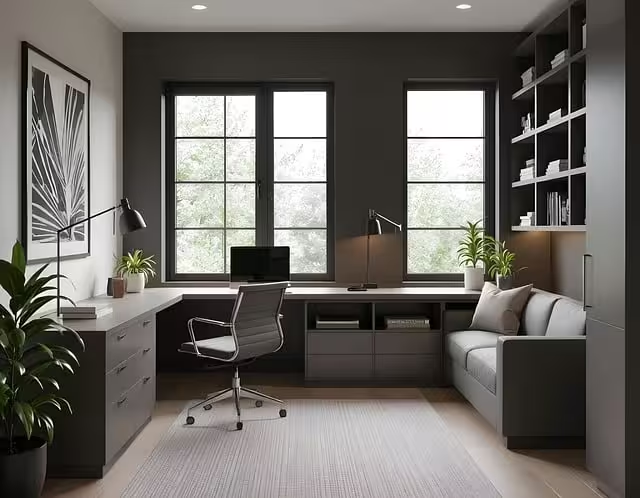
Once you have your answers, you can choose your layout. Here are the five most effective and common desk setups I see and recommend.
1. The Side-by-Side (The Collaborative Standard)
- What It Is: This is the simplest of all the desk setups. It is either one very long desk (78 inches or more) that both people share, or two identical desks placed right next to each other. Both users face the same wall.
- Pros: This layout is excellent for collaboration. It’s very easy to talk, share a screen, or look at the same document. It is also the most space-efficient layout for very small or narrow rooms, as it only uses one wall.
- Cons: This layout has zero privacy. It can be incredibly distracting if one person is on a phone call and the other is trying to write. You are always in your partner’s peripheral vision. Cable management can also be messy, with all the wires for two full desk setups in one place.
- Best For: Collaborative partners, couples who enjoy working “together,” or offices in very small, narrow rooms (like a converted sunroom) where this is the only option.
- Builder’s Tip: When installing these desk setups, make sure you have power outlets spaced out along that wall. You will want an outlet for each workstation to keep cords short and tidy.
2. The Back-to-Back (The Independent Powerhouse)
- What It Is: This layout places two desks in the middle of the room, or separated, with the users’ backs to one another. Each person faces a different wall.
- Pros: This is the best of all desk setups for privacy and focus. You cannot see your partner, and you are not easily distracted by their movements. It gives each person their own dedicated wall. This is perfect for video calls, as you can control your own background with shelves or art. It also creates a clear separation of space.
- Cons: This layout takes up the most floor space. You must have enough room between the desks for both chairs to be pulled out, plus a walkway. I recommend at least five to six feet between the back of one desk and the back of the other. It’s not a setup for a small, square room.
- Best For: Two people who work for different companies, take a lot of conflicting video calls, or need deep, quiet focus to get their work done. These are serious, individual desk setups.
3. The L-Shaped Configuration (The Corner Solution)
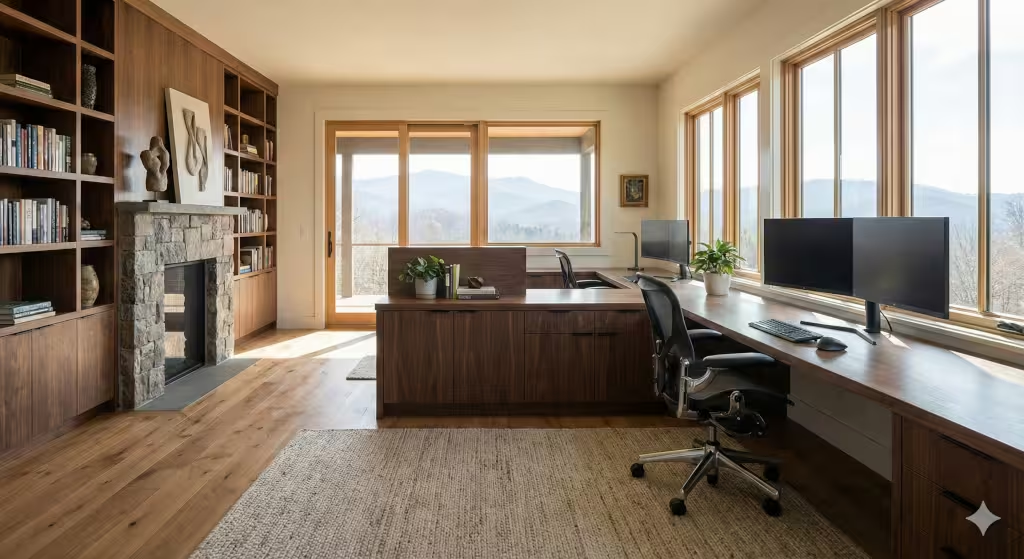
- What It Is: These desk setups use a corner of the room. You can either buy a single, large L-shaped desk unit designed for two, or you can place two separate, straight desks in an “L” shape. The users sit at a 90-degree angle to each other.
- Pros: This is a very efficient use of space, especially in a square room. It uses a corner that is often wasted. It provides a large amount of desk surface for both people. It also creates a natural, slight separation. You are not directly facing each other, so it’s less distracting than a partner desk, but you are still close enough to talk easily.
- Cons: In a small room, this can feel cramped. Both users may “compete” for the corner space, which can become a dumping ground for clutter. If you buy a single-unit L-shaped desk, be aware that these desk setups can be large, heavy, and hard to move.
- Best For: Square rooms, or partners who need a good mix of personal space and the ability to collaborate. It’s a great “middle ground” layout.
4. The T-Shape / Peninsula (The Executive Hybrid)
- What It Is: This is a more unique layout. One desk is placed against a wall, in the traditional way. A second desk is then placed in the middle of the room, jutting out from the center of the first desk, forming a “T” shape.
- Pros: This layout creates a very clear “primary” and “secondary” workstation. The desk against the wall feels like a permanent, executive setup. The peninsula desk is great for laying out large documents, blueprints, or art projects. It also functions as a built-in meeting table, where you or your partner can sit for a quick discussion.
- Cons: The person on the “inside” of the T-shape (the one at the wall desk) can feel boxed in. This layout also requires a fairly wide room to work well, as you need walking paths on both sides of the peninsula. These desk setups are not ideal for two people who need equal space and status.
- Best For: A setup with a clear primary user (like a business owner) and an assistant. It’s also great for designers, architects, or anyone who needs a large, open surface to work on.
5. The Double-Sided (The “Partner” Desk)
- What It Is: This involves one large, deep desk (or two standard desks pulled together) in the center of the room, with users facing each other. This is the modern version of the classic “partner desk” from old libraries.
- Pros: These desk setups are fantastic for direct, face-to-face collaboration. They also leave all four walls of the room open for storage. You can line the walls with bookcases, filing cabinets, and whiteboards.
- Cons: This layout has the absolute maximum level of visual distraction. You are always looking directly at your partner. If one person is fidgety or has a messy desk, it can be a constant source of annoyance for the other. It can also lead to “footsie” battles under the desk for legroom.
- Best For: Business partners or couples who work on the same projects and need constant, direct communication. To make these desk setups work, I highly recommend using a small privacy screen or a row of monitor risers down the middle to create a small visual barrier.
Beyond Furniture: A Builder’s View on Your Room’s Foundation
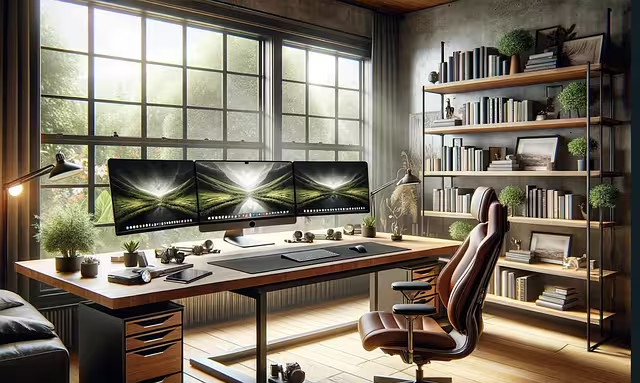
Most great desk setups will fail if the room itself is flawed. You must think about the “infrastructure” of the space. This is what separates a temporary fix from a high-value, permanent home office.
1. Getting the Lighting Right for Your Desk Setups
Bad lighting causes eye strain, headaches, and kills productivity. You cannot rely on a single, dim overhead light. You need layers of light.
- Task Lighting: Each of your desk setups needs its own dedicated light. This is a small desk lamp or an LED bar light mounted under a shelf. It lights up your keyboard and papers directly.
- Ambient Lighting: This is the main, overhead light for the room. It should be bright enough to light the whole space, but I recommend putting it on a dimmer switch.
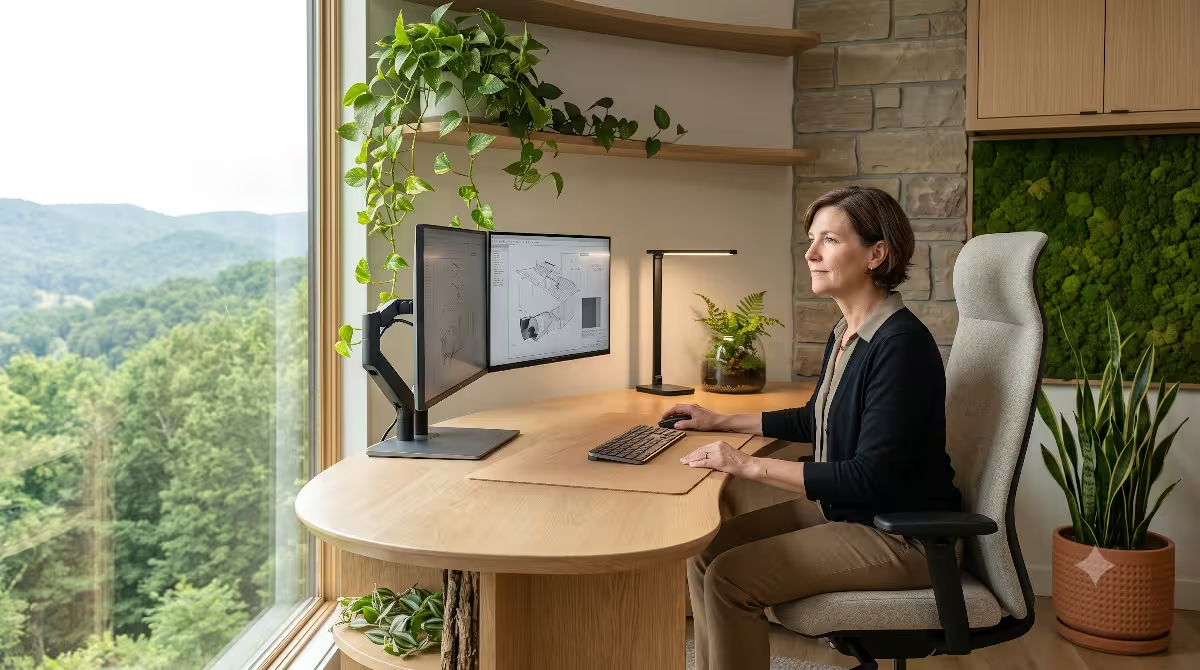
- Natural Light: A window is a great asset, but it can be a problem. Never place your monitor directly in front of a window; the bright light from behind will strain your eyes. Never place your back to the window; you will get terrible glare on your screen. The best position is to place your desk perpendicular (at a 90-degree angle) to the window. This gives you light from the side, which is perfect.
2. Power and Cable Management
In a two-person office, you have double the wires. This is a technical, safety, and aesthetic problem.
- The Problem: Two computers, two (or four) monitors, two lamps, phone chargers, printers… this is a massive tangle of wires. It looks unprofessional, it’s a tripping hazard, and it’s a fire risk if you overload one outlet with a cheap power strip.
- The Solution: At a minimum, each of your desk setups needs its own high-quality surge protector. Mount these surge protectors to the underside of your desk. This gets all the plugs off the floor. Then, use cable trays, cable sleeves, or simple zip ties to bundle all the wires together and run them cleanly down one desk leg.
- The Custom Solution: When I’m building a custom home, I solve this before the drywall goes up. We install floor outlets directly under where the desk setups will be. This means you have a short, 12-inch cord from your desk to the floor. It’s the cleanest, most professional solution.
3. Solving for Sound and Privacy
This is the number one complaint in a shared office: “I can’t hear myself think on my call!” Sound is a huge issue, especially in modern homes.
- The Problem: Sound bounces. In a room with hardwood floors, flat drywall, and glass windows, one person’s voice will bounce around the room, making it impossible for the other person to focus.
- The Solution (Add Soft Things): You must add soft surfaces to absorb the sound. An area rug is the single best thing you can do. Heavy curtains over the windows are also great.
- Advanced Solutions: If it’s still too loud, you can hang “acoustic panels” on the walls. These are fabric-covered panels that look like art but are designed to trap sound. You can also use a tall bookcase (like an IKEA KALLAX) as a physical room divider between the desk setups. This blocks sound and gives you much-needed storage.
The Ergonomic Imperative: Why Comfort is Key

The word “ergonomic” just means the space is designed to be comfortable and safe for your body. A layout is useless if it causes you physical pain. Competence means building your desk setups in a way that works for the human body, not against it.
1. The Chair: Your Most Important Investment
Do not buy a cheap chair. You are sitting in it for (potentially) 2,000 hours a year. This is the most important part of your desk setups. A good chair is not a luxury; it’s a tool. Look for three things:
- Good Lumbar Support: It should support your lower back.
- Adjustable Armrests: You want to be able to set them so your arms are relaxed and your shoulders are down.
- Adjustable Height: Your feet should rest flat on the floor.
2. Desk Height and Standing Desks
Most desks are a standard 29-30 inches high. This is too high for many people.
- The Rule: When you sit at your desk, your elbows should be at a 90-degree angle when you type. Your shoulders should be relaxed. If your shoulders are shrugged up, your desk is too high (or your chair is too low).
- The Best Solution: This is why standing desk setups are the perfect solution for a two-person office. It is very unlikely that you and your partner are the exact same height. Adjustable standing desk setups (from brands like UPLIFT or Autonomous) allow each person to set their exact perfect height for both sitting and standing. This is a major investment in your long-term health.
3. Monitor Position: Stop Neck Pain
Do not work from just a laptop. Looking down at a laptop screen all day is the fastest way to get chronic neck and back pain.
- The Rule: The top of your computer monitor should be at or just below your eye level. You should be looking straight ahead, not down.
- The Solution: Get a separate monitor. If it’s still too low, put it on a stack of books or a simple monitor riser.
- The Best Solution: Use monitor arms. These are metal arms that clamp to the back of your desk and hold your monitor up. This lets you set the precise height and angle, and it also gets the monitor base completely off your desk. This frees up a huge amount of surface space on your desk setups, making them feel larger and cleaner.
Solving the Storage Problem for Two

In a two-person office, you have double the stuff. Clutter is the enemy of focus. A “best” setup is a clean setup, and that requires a precise plan for storage.
1. Go Vertical: Use Your Walls
When you share a small room, floor space is gold. Don’t waste it. Your desk setups need to be clear of everything except your computer and a notepad.
- Use your wall space. Install simple floating shelves above your monitors to hold books, binders, and office supplies you don’t use every day.
- A tall, narrow bookcase in a corner can hold a surprising amount of shared items, like printer paper and reference books. Using your vertical space is key to keeping your desk setups clean.
2. ‘Yours’ and ‘Mine’: Personal Storage
To avoid arguments, each person needs their own private storage. This is where you keep your personal papers, pens, and clutter.
- The easiest solution is a small, rolling filing cabinet or drawer unit (like the popular IKEA ALEX) that fits under your desk.
- This gives each person a “home base” for their stuff. When you are done for the day, you can clear your desk surface and put everything into your personal drawers. This respects your partner and keeps the shared space clean and professional.
3. The Ultimate Solution: The Custom Built-In
The Custom Built-in is a favored solution for clients who want a permanent, high-value office. A custom built-in is the ultimate expression of precise, competent design.
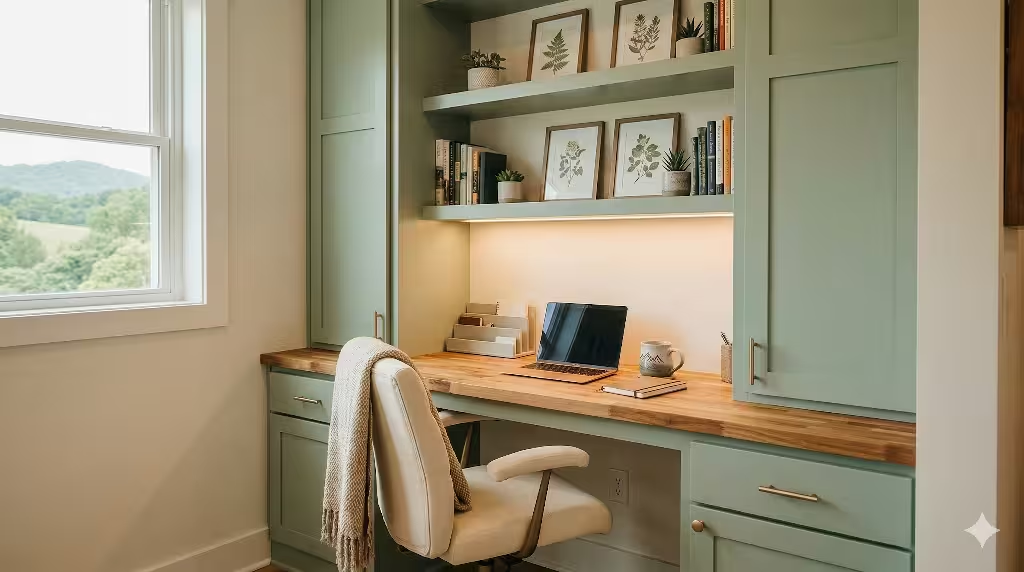
- What It Is: This is where we design and build a single piece of furniture that covers an entire wall. It includes both desk setups, all the shelving, cabinets for storage, and even built-in lighting and cable management.
- The Benefit: It is designed perfectly for your room and your needs. It uses every single inch of space, from floor to ceiling. It provides more storage than you could ever get from store-bought furniture, and it keeps everything looking seamless, integrated, and clean. Custom desk setups like this add significant, permanent value to your home.
Your Guide for Productive Two-Person Desk Setups
The “best desk setup for a two-person office” is not a single product you can buy in a box. It is a system. It is a precise plan that balances your unique workflow, the physical limits of your room, and a strong, healthy foundation.
My final advice is to start by analyzing your needs, not by shopping for furniture. Ask the three core questions. Choose one of the five core layouts that truly fits your work style. Then, build upon that layout with the right lighting, sound control, and storage.
A well-designed office is an investment in your daily productivity, your health, and your home’s value. Taking the time to plan your desk setups with precision will create a space where you and your partner can both thrive for years to come.