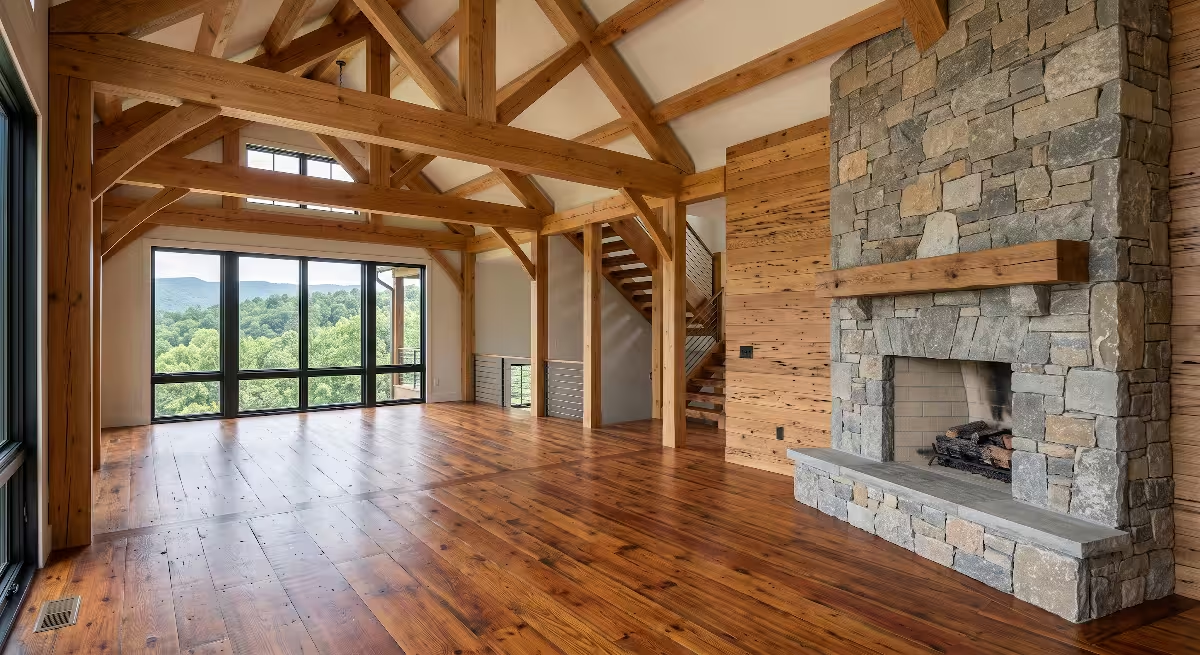

Indoor environments are living, breathing ecosystems. When we design spaces here in the Appalachian highlands of East Tennessee, we constantly balance the raw vitality of our lush native ecology with modern architectural performance. From Johnson City to Kingsport and Bristol, our mountain hollows bring dramatic shifts in moisture, fog, and seasonal mountain air. Managing these fluctuations requires intelligent automation systems that link living plants, mechanical airflow, and building envelopes.
To create an indoor space that truly mirrors the stability and vitality of an old-growth Appalachian forest, building controls must communicate instantly. When choosing the communication infrastructure for automated climate control, the debate often centers on matter vs. zigbee. Both protocols promise reliable wireless connections for smart sensors, motorized dampers, and botanical hydration systems. However, their internal architectures, network topologies, and data handling methods create distinct operational differences.
Evaluating matter vs. zigbee requires looking closely at transmission speeds, network stability, and how data packets travel through a home. Smart environmental controls cannot afford lag or dropped packets when tracking live biological parameters. By comparing the mechanical and structural dynamics of matter vs. zigbee, we can design spaces that respond instantly to every breath of wind, every shift in relative humidity, and every living plant in the home.
       TYPICAL LOCAL AUTOMATION LOOP FOR INDOOR MICROCLIMATE
  +-------------------------------------------------------------+
  |                                                             |
  |   [Environmental Sensor]                                    |
  |     (Measures CO2, Temp, Vapor Pressure Deficit)            |
  |             |                                               |
  |             v (Wireless Mesh Transmission: 802.15.4)        |
  |   [Routing Node / Mesh Extender]                            |
  |             |                                               |
  |             v (Low-Latency Local Delivery)                  |
  |   [Local Controller / Automation Engine]                    |
  |             |                                               |
  |             v (Control Signal Dispatch)                     |
  |   [Actuator: Damper, Fan, or Misting Pump]                  |
  |                                                             |
  +-------------------------------------------------------------+
Biophilic Precision and Microclimate Physics
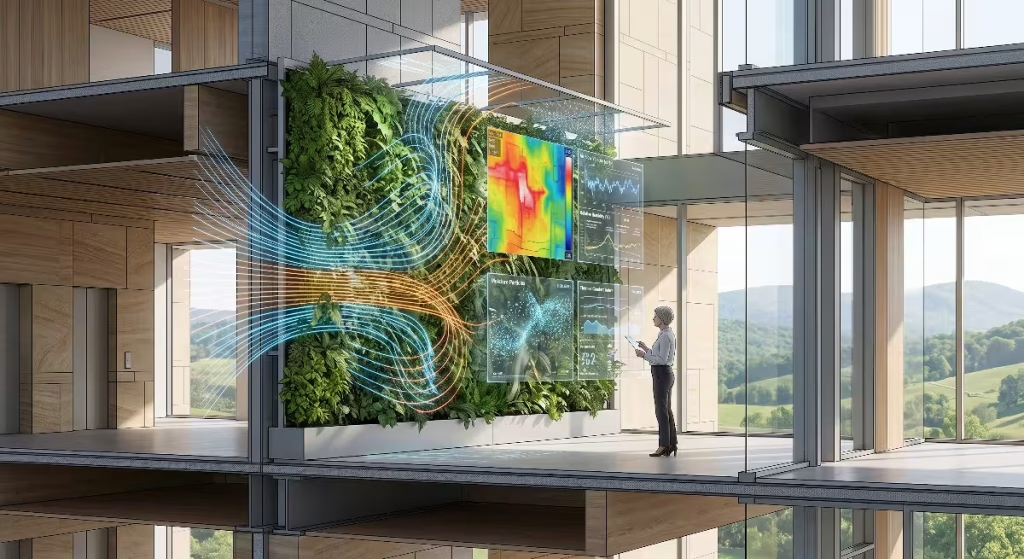
Biophilic design is not simply decorating a living room with potted houseplants. It is the deliberate craft of shaping indoor spaces so that they match the sensory, physical, and atmospheric richness of healthy outdoor nature. In nature, air does not remain trapped at a flat temperature. Outside in our East Tennessee mountains, gentle air currents shift across forest floors, humidity levels balance smoothly between tree canopies, and living soils absorb and exhale moisture in direct rhythm with sunlight.
When we bring living systems into a home, such as interior green walls, living moss partitions, and potted native flora, the indoor climate shifts constantly. Living leaves release moisture into the air through transpiration. Plant root zones hold moisture that slowly evaporates. In return, plants require steady, gentle airflow to prevent stale air pockets, mold growth, and leaf burn.
Microclimate physics relies on keeping several key factors in balance:
- Air velocity: Natural indoor breezes should move between 0.1 and 0.3 meters per second to imitate natural air patterns without causing drafts.
- Relative humidity: Maintaining moisture between 40 percent and 60 percent preserves human respiratory health and supports healthy leaf growth.
- Vapor Pressure Deficit (VPD): The difference between the moisture inside a leaf and the moisture of the surrounding air determines whether a plant can draw up nutrients without drying out.
- Thermal stratifications: Cool air pools low while warm air rises, requiring continuous gentle mixing to keep plant canopies and human living zones balanced.
If an indoor climate control system reacts too slowly, these environmental factors swing wildly. A rapid blast of dry heated air from a central furnace can shock delicate living walls before the misting system turns on. Likewise, stagnant air can sit over an indoor garden bed for hours if stale pockets are not cleared quickly.
Achieving natural balance indoors demands real-time monitoring and immediate mechanical reactions. Comparing matter vs. zigbee helps us determine which communication protocol can move sensor data fast enough to keep these microclimates perfectly balanced.
The Telemetry Bottleneck in Environmental Architecture
A building operates like a biological organism. Sensors act as the nervous system, local processors function as the brain, and motorized actuators serve as the muscles. If your finger touches a hot iron, your sensory nerves must send an electric signal to your spine and back to your arm muscles in milliseconds to prevent severe tissue damage. If that nerve signal slows down by even one second, a minor surprise turns into a deep burn.
The exact same challenge occurs in environmental home architecture. We refer to data transmission delays as telemetry bottlenecks. In a smart home, sensors measure invisible physical dynamics:
- Carbon dioxide (CO2) spikes when several people enter a conference room or living area.
- Volatile Organic Compounds (VOCs) rise when cooking, cleaning, or unwrapping new furniture.
- Relative humidity surges after running showers or misting interior moss panels.
- Fine airborne dust (PM2.5) increases during dry spells or high-pollen seasons.
When a sensor detects that carbon dioxide levels have jumped past 1,000 parts per million, it packages that measurement into a tiny radio signal. That packet must travel across the room, jump through nearby wall-powered devices, enter the automation processor, trigger an evaluation rule, and instruct an energy recovery ventilator (ERV) damper to open.
If the wireless network experiences congestion, radio interference, or routing confusion, that data packet sits in a queue. Even a delay of three to five seconds can disrupt precise variable-speed motor controls. The fan may spin up too late, ramp up too fast, and overshoot its target airflow, creating noisy drafts and wasting power.
A high-performance living home demands consistent, predictable transmission times. In the contest of matter vs. zigbee, solving the telemetry bottleneck determines whether your indoor air stays fresh or drifts into stale imbalance.
Establishing the Latency Benchmark
When evaluating matter vs. zigbee, we must establish exact technical definitions for how we measure speed and responsiveness. In wireless networking, responsiveness is not measured simply by raw internet bandwidth. Streaming high-definition video requires large data pipes, but smart home climate sensors send only a few bytes of information at a time. For environmental automation, the critical metric is latency.
Latency is the total time it takes for a data packet to leave a sensor, travel through the air across network hops, reach the system controller, and prompt an actuator to begin moving. We break latency down into three key measurements:
  +-------------------------------------------------------------+
  | LATENCY MEASUREMENT PHASES                                  |
  |                                                             |
  | 1. Packet Processing Time:                                  |
  |    Sensor chip wakes up, measures, builds radio frame.      |
  |                                                             |
  | 2. Over-the-Air Transmission Time:                          |
  |    Packet travels across 2.4 GHz radio frequencies.         |
  |                                                             |
  | 3. Mesh Hop and Gateway Translation Delay:                  |
  |    Repeaters pass data along; gateways translate formats.   |
  +-------------------------------------------------------------+
When comparing matter vs. zigbee, we must also measure jitter. Jitter is the variance in latency over repeated transmissions. If a temperature sensor sends fifty reports, and every report takes exactly 25 milliseconds, the jitter is zero. But if one packet takes 20 milliseconds, the next takes 450 milliseconds, and another takes 80 milliseconds, the jitter is severe.
High jitter ruins automated climate controls. Proportional-Integral-Derivative (PID) algorithms, which smoothly control variable-speed ventilation fans and chilled-water valves, require steady, predictable data streams. If packet arrivals vary unpredictably, the control loop overcorrects, resulting in hunting fans, temperature swings, and uneven humidity.
As we look at matter vs. zigbee, our latency benchmark focuses on keeping total round-trip reaction times under 50 milliseconds while holding jitter as close to zero as possible across diverse sensor networks.
Physical and Transport Dynamics of 2.4 GHz Radio
Both technologies in the matter vs. zigbee comparison share the exact same underlying physical foundation: the IEEE 802.15.4 radio standard running on the globally unlicensed 2.4 GHz industrial, scientific, and medical (ISM) frequency band.
Understanding this shared physical layer reveals why both protocols face identical environmental obstacles inside residential and commercial structures:
- Maximum Raw Data Rate: 250 kilobits per second over the air.
- Modulation Scheme: Offset Quadrature Phase-Shift Keying (O-QPSK), which encodes digital zeros and ones into stable radio wave phase shifts.
- Channel Architecture: 16 discrete channels numbered from 11 through 26, spaced 5 MHz apart.
- Signal Range: Reliable indoor transmission typically spans 10 to 20 meters through standard drywall and wood framing, but drops when passing through brick, stone, wet soil, or dense plant foliage.
Because both options in matter vs. zigbee use this same radio band, they must also deal with heavy environmental noise. Modern homes are filled with 2.4 GHz signals. High-bandwidth Wi-Fi networks, Bluetooth audio streams, baby monitors, and microwave ovens all crowd these frequencies.
When a standard Wi-Fi router broadcasts a 20 MHz or 40 MHz wide channel, it can easily drown out several smaller 2 MHz wide 802.15.4 channels. To maintain low latency, both protocols must keep data packets short and employ smart channel selection to avoid active Wi-Fi bands.
While the physical radio foundation of matter vs. zigbee is identical, the way each protocol formats, wraps, and addresses those packets across transport layers is completely different.
Zigbee 3.0 Architecture: Monolithic Design and Gateway Dependencies
Zigbee has been a reliable cornerstone of low-power wireless automation for more than two decades. In the evaluation of matter vs. zigbee, Zigbee 3.0 represents a unified, vertically integrated system architecture.
In a Zigbee network, every layer of the communication system, from network routing down to device behaviors, is defined under a single unified specification:
  +-------------------------------------------------------------+
  | ZIGBEE 3.0 MONOLITHIC PROTOCOL STACK                        |
  |                                                             |
  | [Zigbee Cluster Library (ZCL)]   <- Device Behaviors        |
  | [Zigbee Device Objects (ZDO)]    <- Device Management       |
  | [Zigbee Network Layer (NWK)]     <- AODV Routing & Security |
  | [IEEE 802.15.4 MAC Layer]        <- Channel Access          |
  | [IEEE 802.15.4 Physical Layer]   <- 2.4 GHz Radio Waves     |
  +-------------------------------------------------------------+
Zigbee uses a 16-bit short addressing scheme within an isolated Personal Area Network (PAN). Every Zigbee network requires three specific hardware roles:
- Zigbee Coordinator: The single root of the network. It creates the network, assigns addresses, manages security encryption keys, and stores routing tables.
- Zigbee Routers: Wall-powered mains devices, like smart wall outlets, light switches, and dedicated repeaters, that pass messages between distant nodes.
- Zigbee End Devices: Battery-operated units, such as temperature, humidity, and door sensors, that sleep most of the time to save power and only wake up to transmit data.
Because Zigbee uses its own specialized address system, it cannot talk directly to standard Internet Protocol (IP) networks like your home Wi-Fi or Ethernet local area network. It requires an application gateway or bridge.
When a Zigbee air quality monitor reports a drop in air quality, it sends a non-IP packet to the Zigbee Coordinator. The coordinator strips off the Zigbee framing, translates the measurement into a format your automation hub understands, and passes it along via USB, Ethernet, or Wi-Fi.
In any comparison of matter vs. zigbee, this gateway translation is an important factor. It adds extra processing steps, creates a single point of failure, and can introduce slight bottlenecks as network traffic grows.
Matter over Thread Architecture: IP-Native Mesh Routing
Matter changes the smart home landscape by decoupling the application rules from the underlying wireless transport network. When comparing matter vs. zigbee, it is vital to understand that Matter is not a wireless radio protocol itself. Matter is an open-source, IP-based application layer that runs across multiple physical transports, including Ethernet, Wi-Fi, and Thread.
For low-power sensors and environmental controls, Matter runs over Thread. Thread is an open, low-power IPv6 wireless mesh technology built on top of 6LoWPAN (IPv6 over Low-Power Wireless Personal Area Networks).
  +-------------------------------------------------------------+
  | MATTER OVER THREAD PROTOCOL STACK                           |
  |                                                             |
  | [Matter Application Layer]       <- Device Data & Actions   |
  | [Transport Layer (UDP / TCP)]    <- End-to-End Transport   |
  | [IPv6 Network Layer]             <- True Internet Routing   |
  | [6LoWPAN Adaptation Layer]       <- Header Compression      |
  | [IEEE 802.15.4 MAC Layer]        <- Channel Access          |
  | [IEEE 802.15.4 Physical Layer]   <- 2.4 GHz Radio Waves     |
  +-------------------------------------------------------------+
Because Thread is built directly on IPv6, every Thread device has its own unique, routable IP address, just like your laptop or smartphone. This architectural difference is a major factor in the matter vs. zigbee debate:
- No Translation Gateways: Devices communicate using standard Internet Protocol packets. A Thread Border Router does not decode or alter application payloads; it simply routes raw IPv6 packets between the Thread mesh and your Wi-Fi or Ethernet network.
- Dynamic Leader Roles: Thread networks do not rely on a single, fixed coordinator. If the primary managing router goes offline, another wall-powered Thread router automatically steps up to act as the network Leader within seconds.
- End-to-End Encryption: Data remains encrypted from the sensor directly to the controller using modern cryptographic standards, without needing decryption and re-encryption at an intermediate translation bridge.
This clean separation gives Matter over Thread exceptional flexibility. It allows sensors, blowers, and smart thermostats to communicate as true IP peers on the same home network.
Baseline Single-Hop Response Times
When evaluating raw performance in matter vs. zigbee, we start by testing the fastest possible communication scenario: a single wireless hop where a sensor talks directly to a receiver without going through intermediate repeaters.
Zigbee shows remarkable efficiency in single-hop communication because its packet overhead is tiny. The Zigbee network layer was engineered decades ago to fit within tight microchip memory limits. A standard Zigbee data packet header can be as small as 8 to 14 bytes:
- Zigbee Single-Hop Transmission: 8 to 15 milliseconds.
- Packet Construction Overhead: Extremely low. Microcontrollers with only a few kilobytes of RAM can assemble and transmit a packet almost instantly.
- Wake-from-Sleep Transition: A sleeping Zigbee sensor can wake up, turn on its radio, perform a clear channel assessment, send its sensor payload, receive an acknowledgment, and go back to sleep in under 12 milliseconds.
Matter over Thread requires slightly more work at the individual packet level. Because it carries standard IPv6 networking capabilities, it includes larger protocol headers. Although 6LoWPAN compresses 40-byte IPv6 headers down to a few bytes over the air, the overall cryptographic wrapper and transport layers are larger than Zigbee’s simple structure:
- Matter over Thread Single-Hop Transmission: 15 to 30 milliseconds.
- Cryptographic Processing: Matter uses strong security protocols (such as AES-CCM with 128-bit keys and Datagram Transport Layer Security), which require a few more processor cycles to calculate.
- Frame Size: The larger frame takes a fraction of a millisecond longer to clear the 250 kbps radio channel.
In a clean single-hop environment, Zigbee holds a slight speed advantage over Matter. However, real-world homes are rarely single-hop setups. As sensor networks expand across real rooms, the performance balance in matter vs. zigbee shifts significantly.
Multi-Hop Mesh Scaling and Path Routing Under Load
Real-world homes have walls, furniture, metal appliances, and leafy plants that block direct radio signals. As a result, low-power smart home networks rely on mesh networking, where wall-powered devices act as repeaters to bounce signals across the building. This is where comparing matter vs. zigbee reveals profound differences in how each protocol finds paths through the mesh.
Zigbee relies on routing techniques derived from the Ad-hoc On-Demand Distance Vector (AODV) routing algorithm. This is a reactive routing protocol. When a Zigbee sensor needs to send data along an unestablished or broken path, it pauses and broadcasts a Route Request across the entire network. Every router repeats this request until it finds the destination, which then replies with a Route Reply.
- Zigbee Routing Characteristics:
- Network Broadcast Flooding: Route discovery generates bursty radio traffic that can temporarily crowd out other transmissions.
- Route Discovery Delay: Finding a new route can take anywhere from 200 to more than 800 milliseconds, causing noticeable lag spikes.
- Static Routing Tables: Zigbee routers hold limited table space. If several sensors report at once, small routing tables can fill up and drop packets.
Thread, running underneath Matter, uses proactive routing based on the Distance-Vector Routing Protocol and Mesh Link Establishment (MLE). Thread routers do not wait for a transmission to fail before discovering alternative paths. Instead, they continually share lightweight link-quality updates in the background.
- Thread Routing Characteristics:
- Proactive Routing Tables: Every Thread router maintains an up-to-date map of the optimal next hops across the entire network mesh.
- Instant Rerouting: If a repeater drops offline, a Thread sensor automatically routes its packet through the next best neighbor with no discovery delays.
- Predictable Multi-Hop Latency: A packet hopping across two or three Thread repeaters typically takes between 35 and 65 milliseconds, showing steady, predictable delivery times.
  +-------------------------------------------------------------+
  | MULTI-HOP LATENCY BEHAVIOR UNDER NETWORK LOAD               |
  |                                                             |
  | Transmission Latency (ms)                                   |
  |  800 |                     Zigbee Spike (AODV Discovery)    |
  |  600 |                          /\                          |
  |  400 |                         /  \                         |
  |  200 |                        /    \                        |
  |    0 +-----------------------/------\-------------------->  |
  |      Matter over Thread: Flat, steady line (35 - 65 ms)     |
  +-------------------------------------------------------------+
When building an automated microclimate system with dozens of sensors checking air quality across multiple rooms, the multi-hop consistency of matter vs. zigbee makes Thread’s proactive approach far more stable and resilient.
Network Saturation and the Hub Translation Tax
As you deploy more automated climate devices, such as humidity probes, air quality sensors, and motorized damper controls, your network carries much more traffic. Comparing matter vs. zigbee under heavy traffic highlights how each handles data translation.
In a Zigbee system, every piece of sensor data must pass through the single Zigbee Coordinator. If you use an open-source home automation platform running on a local server, the coordinator receives raw Zigbee frames, decodes them, and converts them into standard messages (such as MQTT or JSON) over a serial interface.
This introduces a hub translation tax:
- Physical Interface Bottleneck: The central coordinator must process all network traffic through a single radio receiver and microchip processor.
- Serial Queue Congestion: When dozens of environmental sensors report simultaneously during a sudden humidity change, the coordinator’s serial buffer can fill up, delaying message processing.
- Software Translation Delay: The host computer must translate proprietary Zigbee cluster definitions into readable automation signals, adding 10 to 40 milliseconds of software lag under heavy loads.
Matter over Thread eliminates this architectural bottleneck. Because Thread uses standard IPv6, a Thread Border Router acts as a simple network bridge rather than a complex translator:
  +-------------------------------------------------------------+
  | PACKET FLOW: MATTER OVER THREAD VS ZIGBEE                   |
  |                                                             |
  | ZIGBEE:                                                     |
  | [Sensor] -> (Zigbee) -> [Coordinator] -> (Serial/API) ->   |
  |              [Translator Bridge] -> (IP) -> [Automation]    |
  |                                                             |
  | MATTER OVER THREAD:                                         |
  | [Sensor] -> (IPv6 Thread) -> [Border Router] ->             |
  |              (IPv6 Wi-Fi/Eth) -> [Automation]               |
  +-------------------------------------------------------------+
The Thread Border Router takes an IPv6 packet from the 802.15.4 radio and forwards it directly onto your home Ethernet or Wi-Fi network without unpacking or translating the application data.
Because any wall-powered device with the right hardware can act as a Thread Border Router, you can place several border routers across a home. Traffic divides naturally across these access points, preventing congestion and keeping latency low even during heavy environmental reporting bursts.
Dynamic Natural Ventilation Actuation
Natural ventilation is a central pillar of energy-efficient building design. Instead of running noisy, energy-intensive air conditioners all day, a well-designed home uses motorized clerestory windows, passive ceiling louvers, and smart dampers to catch cool mountain breezes and flush out warm, stale indoor air.
       NATURAL BUOYANCY VENTILATION (STACK EFFECT)
                   [Motorized Clerestory Windows] (Upper Exhaust)
                             ^          ^
                            /            \
                           /   Warm Air   \
                          /    Rises Up    \
                         |                  |
                         |  Living Space    |
                         |                  |
      [Motorized Louver] |                  | [Motorized Louver]
      (Fresh Cool Air) ->                    <- (Fresh Cool Air)
Managing this stack effect requires synchronized, low-latency control. During an East Tennessee summer evening, cool air settles into our valleys. When outdoor conditions match indoor comfort targets, an automated home can flush out heat by coordinating its openings:
- Upper motorized clerestory windows open outward to let warm air escape near the ceiling.
- Low-level intake louvers open on the shaded side of the home to pull in cool, fresh air.
- Interior transit dampers open to maintain a smooth, quiet airflow path across living areas.
In the comparison of matter vs. zigbee, actuation timing is critical. If low louvers open several seconds before high windows, indoor air pressure can drop slightly, causing drafts or pulling dust down chimneys and wall cavities.
Matter over Thread excels here because it supports true multicast messaging. Using IPv6 multicast, a single control signal can instruct six different window actuators to open at the exact same instant, with less than 20 milliseconds of variance between motors.
In contrast, Zigbee often sends unicast messages to each motor one by one, or uses basic Zigbee group casts that can arrive unevenly across multiple mesh hops. For smooth, synchronized window adjustments, Matter over Thread provides the balanced timing natural ventilation requires.
Biophilic Feature Integration: Green Walls and Hydration Systems
Indoor green walls, living vertical plant installations, and interior micro-wetlands are beautiful, dynamic biological systems. A large living wall covered with native Appalachian ferns, wild ginger, and heuchera transpires several gallons of water into the living space every day, serving as a natural, self-regulating humidifier.
However, living plants have delicate biological tolerances. In a home, relative humidity is only half the story. Plant health depends heavily on Vapor Pressure Deficit (VPD), which measures the drying power of the air by comparing air temperature, leaf temperature, and relative humidity.
  +-------------------------------------------------------------+
  | VAPOR PRESSURE DEFICIT (VPD) CONTROL SYSTEM                 |
  |                                                             |
  | [IR Leaf Temperature Sensor]  [Ambient Air Temp & RH Sensor]|
  |              \                           /                  |
  |               v                         v                   |
  |           [VPD Calculation Engine in Automation]            |
  |                             |                               |
  |                             v                               |
  |     +-----------------------+-----------------------+       |
  |     |                                               |       |
  |     v (If VPD too High: Dry Air)                    v       |
  |  [Ultrasonic Humidifier Pulses]      [Sub-Canopy Circulation|
  |                                       Fans Spin at Low RPM] |
  +-------------------------------------------------------------+
If the VPD climbs too high, leaves dry out quickly, causing tips to brown and stress hormones to halt plant growth. If the VPD drops too low, air becomes saturated, preventing water from evaporating off the leaves and encouraging root rot and fungal growth.
To balance this delicate dynamic, sensors must continuously update environmental values:
- Infrared sensors read leaf surface temperatures.
- Capacitive sensors measure moisture levels in root-zone soil.
- Ultrasonic misting nozzles inject fine water vapor in short, precise bursts.
- Sub-canopy fans spin at low speeds to circulate air without drying out leaves.
This closed-loop system requires consistent communication. If a misting pump runs five seconds too long because a network delay held up an off signal, it can over-saturate soil beds and spill water.
In evaluating matter vs. zigbee, Zigbee networks handle steady, simple sensor readings well. However, when multiple sensors send rapid stream updates, Matter over Thread handles the continuous data traffic with lower latency and less packet loss, protecting sensitive botanical installations.
High-Frequency Environmental Sensor Telemetry
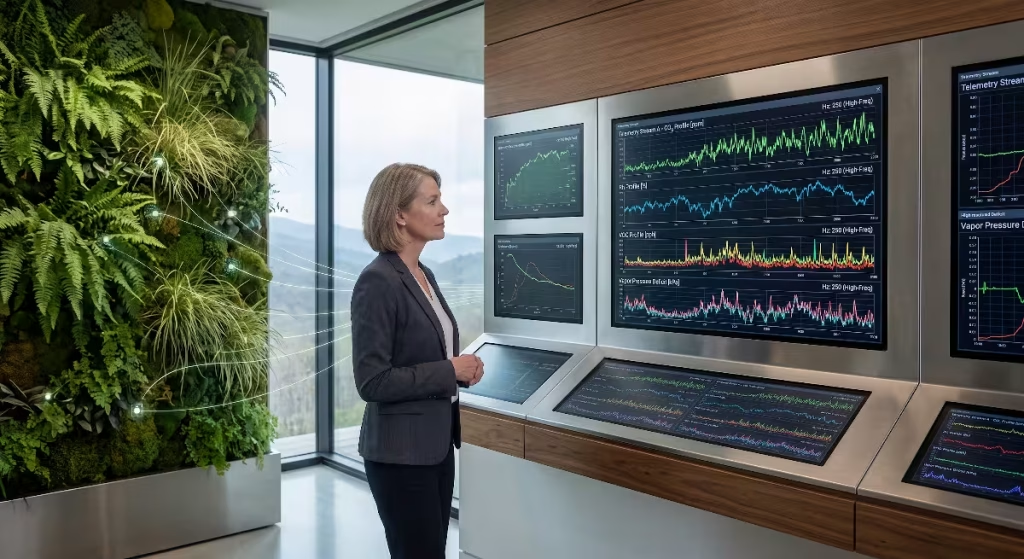
Modern high-performance environmental monitors do not measure just one metric. Comprehensive air quality units track carbon dioxide, carbon monoxide, total volatile organic compounds, formaldehydes, PM1.0, PM2.5, PM10, temperature, barometric pressure, and relative humidity simultaneously.
Packaging and transmitting these rich data streams creates significant network traffic. When evaluating matter vs. zigbee, this telemetry volume highlights clear design tradeoffs.
Zigbee relies on the Zigbee Cluster Library (ZCL). In ZCL, each metric, such as temperature or humidity, is typically mapped to its own cluster attribute:
- Fragmented Reporting: An all-in-one air monitor often sends several separate Zigbee frames to update multiple values, increasing total radio traffic.
- Limited Payload Space: A standard Zigbee frame holds a maximum over-the-air payload of 127 bytes, which drops to around 70 to 80 bytes once network security headers are added.
- Radio Bandwidth Use: Frequent multi-sensor updates can quickly crowd a Zigbee channel, raising the risk of data collisions.
Matter structures data into a clean, modern object model. It organizes measurements into neat structures and data clusters that take full advantage of IPv6 maximum transmission units:
- Structured Payloads: Matter packages complex, multi-metric sensor readings into a single, organized packet, reducing the total number of radio transmissions.
- Efficient Transport: Combined with 6LoWPAN header compression, Thread sends comprehensive sensor reports in fewer transmissions, freeing up the radio channel for other devices.
- High-Frequency Capability: Matter over Thread devices can easily report high-frequency changes, such as sudden spikes in particulate matter, without overwhelming the mesh.
For complex environmental sensor arrays tracking air quality across living spaces, Matter over Thread provides a cleaner, more scalable transport pipe.
Technical Comparison: Zigbee 3.0 vs. Matter over Thread
To clearly visualize the architectural and operational differences in the matter vs. zigbee debate, we can evaluate their technical specifications side by side:
| Engineering Parameter | Zigbee 3.0 Architecture | Matter over Thread Architecture | Microclimate Performance Impact |
| Network Layer Protocol | Proprietary 16-bit NWK Layer | Native IPv6 (6LoWPAN Compressed) | IP addressing removes the need for translation gateways. |
| Underlying Transport | Integrated Monolithic Stack | Thread, Wi-Fi, or Ethernet (Decoupled) | Decoupling lets high-power and low-power devices talk as peers. |
| Mesh Routing Strategy | Reactive Routing (AODV-derived) | Proactive Routing (Distance-Vector MLE) | Proactive routing prevents latency spikes during route breaks. |
| Coordination Points | Single PAN Coordinator (Single point of failure) | Dynamic Leader Election (Self-healing mesh) | Eliminates system downtime if a central hub loses power. |
| Border Routing | Requires specialized application bridges | Standard Thread Border Routers (TBR) | Multiple border routers balance traffic and add redundancy. |
| Single-Hop Latency | 8 to 15 milliseconds | 15 to 30 milliseconds | Zigbee is slightly faster on direct, single-hop connections. |
| Multi-Hop Latency Jitter | High (Can jump past 500 ms during route discovery) | Low (Consistent 30 to 65 ms across several hops) | Low jitter keeps HVAC fan and damper PID loops stable. |
| Maximum Frame Size | 127 bytes (IEEE 802.15.4 frame limit) | 1280 bytes IPv6 MTU (Compressed over air) | Matter sends complex multi-sensor readings in single packets. |
| Application Layer Security | Network-wide shared keys + link keys | End-to-end cryptographic authentication | Stronger security protects private living space telemetry. |
| Local Hub Processing Tax | High (Translates Zigbee clusters to local IP) | None (Packets pass straight through as native IP) | Cuts local computer processing overhead under heavy loads. |
Commonly Asked Questions about Matter vs. Zigbee
Is Matter faster than Zigbee for smart home sensors?
The answer depends on whether your setup uses single-hop or multi-hop connections. For a single wireless hop where a sensor talks directly to a receiver, Zigbee is slightly faster. Zigbee’s minimal frame headers and lightweight processing let direct signals clear the air in 8 to 15 milliseconds, compared to 15 to 30 milliseconds for Matter over Thread.
However, in multi-hop mesh networks spanning an entire home, Matter over Thread is consistently faster and more reliable. Because Thread uses proactive routing, packets navigate through repeaters without the route-discovery delays that cause lag spikes on Zigbee networks. Under heavy traffic, Matter over Thread delivers lower, more predictable latency.
Does Matter over Thread replace Zigbee in climate automation?
Matter over Thread is designed to succeed Zigbee over time, but it does not make Zigbee obsolete today. Zigbee has an established track record spanning two decades, with thousands of low-cost, ultra-reliable sensors available on the market.
Many modern homes run hybrid setups successfully. A user can keep their existing, low-cost Zigbee temperature sensors connected through a Matter-compatible bridge, while deploying Matter over Thread for newer high-speed actuators, dampers, and multi-sensor units.
Over the long term, Matter over Thread is becoming the preferred standard for new installations because its native IP design eliminates proprietary bridges and prevents vendor lock-in.
Why does Zigbee suffer from latency bottlenecks in large mesh networks?
Zigbee’s latency challenges in larger installations stem from three main architectural design choices:
- Reactive AODV Routing: If a Zigbee repeater loses power or an environmental radio path is blocked, the network pauses and floods the channel with route requests to find a path, causing temporary delays.
- Single Coordinator Hardware Limits: All data must pass through one physical coordinator. As device counts grow, the coordinator’s radio receiver and serial memory buffers can become congested.
- Limited Router Memory: Older Zigbee repeaters have small routing tables. In dense environments with dozens of reporting sensors, these tables can fill up, dropping packets and requiring retransmissions.
How does wireless protocol latency impact indoor environmental quality?
Indoor environmental quality depends on tight, closed-loop feedback systems. When an air quality sensor detects rising carbon dioxide, humidity, or airborne dust, ventilation systems must react quickly:
- Smooth Damper Modulation: Motorized air dampers and variable-speed ventilation fans rely on steady sensor readings to calculate smooth speed adjustments.
- Preventing Overshoot and Hunting: Unpredictable network latency makes control systems overshoot their targets. Fans spin up too loudly, dampers open too wide, and mechanical equipment wears out faster.
- Protecting Living Plant Features: Misting systems and root aerators on living green walls operate on tight schedules. Delays in receiving sensor data can lead to overwatering or dry soil pockets.
Stable, low-latency wireless communication keeps heating, cooling, and ventilation systems running smoothly and quietly while maintaining fresh, comfortable air.
High-Performance Hardware Topologies for Living Architecture
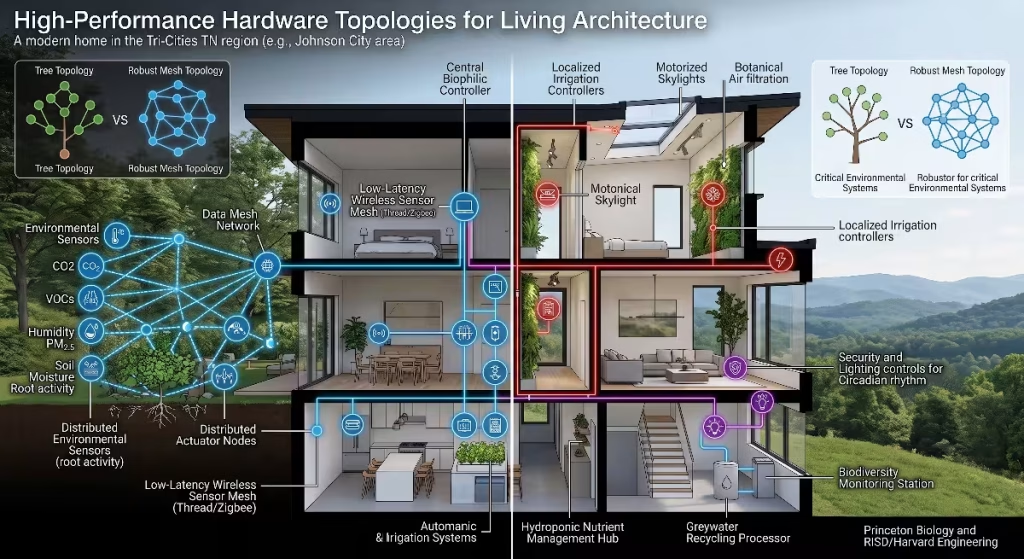
To put the matter vs. zigbee debate into practical perspective, we can examine how to lay out wireless hardware across a modern, biophilically designed home.
Consider a 3,500-square-foot home nestled in the Appalachian foothills of East Tennessee. The house features high timber ceilings, local limestone accent walls, an open central living area with a two-story vertical green wall, and motorized high clerestory windows for natural ventilation.
       RESILIENT THREAD BORDER ROUTER TOPOLOGY
  +-------------------------------------------------------------+
  |                                                             |
  |  [Living Room / Green Wall]       [Kitchen / Dining]        |
  |   Thread Border Router A           Thread Border Router B   |
  |   (Smart Speaker / Hub)            (Smart Display / Hub)    |
  |            |                                |               |
  |            +--------------- Ethernet -------+               |
  |                            Backbone                         |
  |                                |                            |
  |                    [Local Home Automation]                  |
  |                    [Controller (Server)  ]                  |
  |                                |                            |
  |            +--------------- Ethernet -------+               |
  |            |               Backbone         |               |
  |   Thread Border Router C           Thread Border Router D   |
  |   (HVAC Controller Hub)            (Smart Lighting Gateway) |
  |  [Upper Mechanical Room]          [Master Bedroom Suite]    |
  |                                                             |
  +-------------------------------------------------------------+
Implementing a Matter over Thread Infrastructure
In this setting, a pure Matter over Thread setup provides exceptional coverage, speed, and resilience:
- Distributed Thread Border Routers: Instead of relying on a single central hub, place four Thread Border Routers across the home (for instance, smart speakers, wall displays, or dedicated network gateways). Connect each border router back to the primary local home automation controller using high-speed wired Ethernet.
- Self-Healing Mesh Coverage: The living wall’s humidity sensors, soil probes, and misting valves talk to the nearest border router over Thread. If someone unplugs one border router, the sensors instantly route their IPv6 packets to another border router within milliseconds.
- Direct Controller Access: The central home automation server communicates with all devices over local IP networks, bypassing translation bridges entirely.
Optimizing a Legacy Zigbee 3.0 Network
If you choose Zigbee for parts of your home, following key design rules will minimize latency and prevent bottlenecks:
- High-Performance Coordinators: Avoid cheap, low-power USB coordinator sticks. Use a high-quality coordinator equipped with an external high-gain antenna and a powerful modern microcontroller (such as the Texas Instruments CC2652P or Silicon Labs EFR32MG21).
- Plentiful Dedicated Routers: Install dedicated Zigbee wall repeaters in every room before adding battery-powered sensors. A strong mesh backbone provides stable routes and prevents route-discovery delays.
- Keep Coordinators Centered: Position your Zigbee coordinator centrally, well away from your primary Wi-Fi routers, to reduce radio interference and minimize intermediate mesh hops.
Minimizing 2.4 GHz Radio Frequency Contention
Because both protocols in the matter vs. zigbee evaluation use the 2.4 GHz radio frequency band, physical radio interference is the single biggest cause of dropped packets, latency spikes, and drained sensor batteries.
A standard home Wi-Fi network uses wide channels that can easily interfere with low-power 802.15.4 transmissions. A standard 2.4 GHz Wi-Fi channel is 20 MHz wide, with some routers defaulting to 40 MHz widths that flood almost the entire spectrum.
  2.4 GHz FREQUENCY ALLOCATION: WI-FI VS 802.15.4 CHANNELS

  Wi-Fi Ch. 1          Wi-Fi Ch. 6          Wi-Fi Ch. 11
  [   20 MHz   ]       [   20 MHz   ]       [   20 MHz   ]
  |------------|       |------------|       |------------|

          802.15.4 (Matter/Thread or Zigbee) Channels:
           Ch 15        Ch 20                 Ch 25   Ch 26
            (*)          (*)                   (*)     (*)
             ^            ^                     ^       ^
             |            |                     |       |
  Best gaps to avoid Wi-Fi interference: Ch 15, 20, 25, and 26.
To preserve fast, low-latency performance for your environmental microclimate sensors, plan your frequency channels carefully:
- Lock Your Wi-Fi Channels: Set your 2.4 GHz Wi-Fi access points to fixed channels: 1, 6, or 11. Never leave your Wi-Fi router on auto-channel mode, which can jump around and suddenly overlap with your smart home network.
- Use 20 MHz Wi-Fi Channel Widths: Restrict your 2.4 GHz Wi-Fi radios to standard 20 MHz channel widths. Modern high-bandwidth devices (laptops, phones, televisions) should connect to 5 GHz or 6 GHz Wi-Fi bands instead.
- Choose Quiet 802.15.4 Channels:
- Channel 15 sits cleanly in the quiet space between Wi-Fi Channel 1 and Wi-Fi Channel 6.
- Channel 20 sits comfortably between Wi-Fi Channel 6 and Wi-Fi Channel 11.
- Channel 25 sits just above the upper edge of Wi-Fi Channel 11, offering one of the cleanest environments for low-power mesh signals.
- Channel 26 sits at the very end of the band, entirely clear of standard Wi-Fi channels (though some older hardware operates at lower transmit power on this channel due to FCC spectral mask rules).
Proper channel planning gives both technologies in matter vs. zigbee the clean radio environment they need to deliver fast, predictable latency.
The Living Architecture Standard: Designing Resilient Microclimates
True biophilic architecture goes far beyond aesthetics. It creates living spaces that actively nurture human health, support biological life, and tread lightly on our surrounding environment. When we design homes here in the Southern Appalachians, our goal is to build spaces that feel as balanced, refreshing, and alive as the hemlock and rhododendron hollows along the Roan Mountain trails.
Achieving that standard requires combining thoughtful passive design with responsive modern technology:
- Passive Design Foundations: Orient the home to capture natural sunlight, use high-thermal-mass local stone to store warmth, add deep roof overhangs to shade high summer sun, and place operable windows to catch prevailing mountain breezes.
- Biological Integration: Incorporate healthy indoor green walls, indoor water features, and non-toxic natural materials that naturally soften acoustic noise, balance indoor humidity, and clean the air.
- Intelligent Automation: Link those natural elements to responsive ventilation dampers, variable-speed fans, and precision misting systems that react immediately to environmental changes.
In the ongoing evaluation of matter vs. zigbee, Matter over Thread stands out as the superior architectural choice for complex, multi-room living spaces. Its native IPv6 addressing removes translation bottlenecks, its distributed border routers eliminate single points of failure, and its proactive mesh routing keeps latency low and steady across multi-hop networks.
Zigbee remains a dependable, cost-effective choice for smaller spaces or localized sensor groups. But as we design the next generation of smart, biophilic homes, the open, flexible, and robust structure of Matter over Thread provides the reliable communication foundation needed to keep indoor microclimates balanced, healthy, and effortlessly aligned with nature.