


In this history of contracting, many good builders have lost huge sums of money over one piece of paper. A general contractor collects a PDF from a new framing or plumbing crew before they start work, drops it into a digital folder, and assumes the job is safe. That single habit is one of the most expensive mistakes in the construction industry. Simply having a certificate of insurance sitting in your project folder does not protect your business when an accident happens or a defect shows up two years later.
If you look closely at the top right corner of a standard ACORD 25 form, you will see a clear legal warning printed in plain sight. It states that the certificate of insurance is issued as a matter of information only and confers no rights upon the certificate holder. In simple terms, that piece of paper is just a quick snapshot of a policy on the exact day the agent printed it. It is not an insurance contract, it does not bind the insurance company to pay a dime on your behalf, and it does not stop a subcontractor from canceling their policy the very next morning.
When a builder skips proper verification and hires an uninsured or lapsed trade partner, three immediate financial hits can strike the company:
- Direct liability for job-site injuries: If a worker falls off a ladder or gets hurt by heavy equipment on your site and their employer has no valid coverage, the injured worker’s lawyer will look straight up the chain at you, the general contractor. You can end up paying medical bills, lost wages, and legal defense costs out of your own pocket.
- Denied claims for post-completion defects: Many of the worst construction problems do not show up until months or years after you hand over the keys. Think about hidden water leaks behind stucco, cracked foundations, or bad electrical wiring. If your subcontractor’s coverage did not include the right post-work endorsements, their insurance carrier will deny your claim and leave you holding the repair bill.
- Steep back-charges during your annual insurance audit: Every year, your insurance company audits your books. When the auditor from the National Council on Compensation Insurance (NCCI) or your carrier reviews your vendor payments and finds a subcontractor without a valid certificate of insurance, they treat that subcontractor as your own uninsured employee. You will get hit with a massive, unexpected premium bill based on every dollar you paid that crew.
Learning how to verify a certificate of insurance the right way protects your profit margins, keeps your projects moving, and lets you sleep well at night. Below is the complete, step-by-step system I use to vet every trade partner before a single boot hits the dirt.
Pre-Verification Setup: Locking Insurance Rules Into Your Subcontract Agreement
You cannot verify a subcontractor’s insurance properly if you have not clearly spelled out what you require in writing first. Many builders make the mistake of using a one-page work order that simply asks the trade partner to carry “adequate insurance.” If a claim goes to court, a judge will tell you that “adequate” means nothing. Your verification process starts long before a certificate of insurance arrives in your email inbox. It begins with a solid Master Subcontract Agreement (MSA) and a clear insurance exhibit attached to every contract.
Every insurance policy relies on your written contract to trigger key protections. In fact, most modern insurance endorsements state that extra coverage only applies when required by a signed written contract executed before the loss happens. If the subcontractor starts work on Monday and signs your contract on Friday, an accident on Wednesday might not be covered at all. Make it a strict company rule that no crew steps onto your site until they sign your contract and pass your insurance check.
Setting Minimum Coverage Limits by Trade Risk
Not every trade carries the same level of risk on a construction site. A finish painter working inside a completed room poses a much smaller risk than an excavation crew digging ten-foot trenches next to a public road or a roofer working three stories up. Your contract should set clear baseline numbers for every trade, along with higher limits for dangerous work.
- Commercial General Liability (CGL): For standard trades like trim carpentry, drywall, flooring, and painting, require at least $1,000,000 per occurrence, $2,000,000 general aggregate, and $2,000,000 products and completed operations aggregate.
- Excess or Umbrella Liability: For high-risk trades such as roofing, structural steel, crane operation, excavation, concrete, and heavy framing, require an additional $2,000,000 to $5,000,000 in Excess or Umbrella coverage sitting on top of their general liability policy.
- Commercial Auto Liability: Every trade partner drives trucks, vans, or trailers onto your site and around town for materials. Require at least $1,000,000 Combined Single Limit for bodily injury and property damage. Make sure the policy covers “Any Auto,” or at least both “Hired Autos” and “Non-Owned Autos,” so you are covered even if a worker drives a personal pickup truck to pick up supplies.
- Workers’ Compensation and Employers’ Liability: Require full statutory Workers’ Compensation limits for your state, paired with Employers’ Liability limits of at least $500,000 each accident, $500,000 disease policy limit, and $500,000 disease each employee (or $1,000,000 across the board for larger projects).
Must-Have Contract Clauses That Back Up Your Coverage
Dollar limits alone are not enough. Your subcontract agreement needs three specific legal clauses that force the subcontractor’s insurance company to step in first when trouble hits:
- Hold Harmless and Indemnification: This clause states that if the subcontractor’s work or negligence causes an injury or property damage, the subcontractor agrees to defend you and pay for the loss.
- Primary and Non-Contributory Requirement: Your contract must explicitly state that the subcontractor’s general liability coverage applies on a primary and non-contributory basis. This means their insurance pays first from dollar one, and your own builder’s policy will not be forced to split the bill.
- Flow-Down Rules for Sub-Tier Crews: Your contract should forbid the subcontractor from hiring lower-tier crews without your written permission. If you do approve a sub-tier crew, the contract must require that lower-tier crew to meet the exact same insurance rules and name both you and the property owner as protected parties.
Section-by-Section Inspection of the ACORD 25 Form

Once your contract is signed and the trade partner sends over their certificate of insurance, it is time to inspect the document line by line. Almost all commercial liability certificates in the United States use a standardized form created by the Association for Cooperative Operations Research and Development, known as the ACORD 25 (2016/03) Certificate of Liability Insurance. Treating this form like a set of building blueprints will help you spot errors in minutes.
Checking the Producer, Named Insured, and Certificate Holder Boxes
Start at the top left of the ACORD 25 and check the three main identity boxes:
- Producer: This box lists the insurance agency or broker who issued the certificate of insurance. Check that the agency name, street address, phone number, and contact person are completely filled out.
- Insured: This is one of the most common failure points in construction compliance. The name in the Insured box must match the exact legal business name on your signed subcontract and the subcontractor’s W-9 tax form. If your contract is with “Blue Ridge Framing LLC,” but the certificate of insurance only lists “John Smith” as an individual, you have a major problem. If John’s LLC gets sued, his personal policy may refuse to cover business work done under the LLC name. Always require exact legal entity alignment, including any Doing Business As (DBA) names.
- Certificate Holder: Look at the bottom left box labeled Certificate Holder. Your company’s exact legal name, entity suffix (such as Inc. or LLC), and current business address must appear here. If you are building for a commercial client or a lender that requires proof of coverage, ask the agent to list the project owner as an additional certificate holder or issue a second certificate of insurance specifically for them.
Auditing the Insurance Companies (NAIC Numbers and AM Best Ratings)
Move to the upper right section labeled “Insurers Affording Coverage.” You will see lines labeled Insurer A through Insurer F, along with a column on the far right for the 5-digit NAIC number. The National Association of Insurance Commissioners (NAIC) assigns a unique five-digit code to every licensed insurance carrier in the country.
Never skip checking those NAIC codes. Some dishonest brokers or unvetted trades list fake company names or use surplus lines carriers that are not approved to write policies in your state. You can type that five-digit NAIC number into your state Department of Insurance website or the NAIC consumer lookup tool in thirty seconds. Confirm two things:
- Active State License: Verify that the exact carrier listed on the certificate of insurance is authorized to write commercial insurance in the state where your job site is located.
- AM Best Financial Strength Rating: Check the carrier’s financial health through AM Best. You want to see a rating of A- VII or higher. A subcontractor’s policy is only as strong as the insurance company standing behind it. If a budget carrier goes bankrupt three years after your project finishes, your coverage disappears with it.
Reviewing Policy Numbers, Dates, and Aggregate Limits
Now look at the main grid in the middle of the certificate of insurance. Each row corresponds to a specific type of coverage: Commercial General Liability, Automobile Liability, Umbrella/Excess Liability, and Workers’ Compensation. Check these four details across every row:
- Active Policy Numbers: Look closely at the Policy Number column. Every line must show a real, alphanumeric policy number issued by the carrier. If you see words like “TBD,” “PENDING,” “BINDER,” or a quote number instead of a real policy number, reject the certificate of insurance immediately. A quote is just a price estimate, not active coverage.
- Policy Effective and Expiration Dates: Compare the Policy EFF (effective) date and Policy EXP (expiration) date against today’s date and your project schedule. The policy must be active before the sub mobilizes. If the policy expires in two weeks, flag it right away so you can get the renewal paperwork before coverage drops.
- Occurrence vs. Claims-Made: Under Commercial General Liability, make sure the box for OCCUR (Occurrence) is checked, not CLAIMS-MADE. An occurrence policy covers accidents or property damage that happen during the policy period, even if the homeowner or client files a lawsuit years later. A claims-made policy only covers claims reported while the policy is still active, which leaves a massive coverage gap once the sub moves on or retires.
- Per-Project Aggregate Limit: Look at the row of checkboxes under “Gen’l Aggregate Limit Applies Per:” where you will see POLICY, PROJECT, and LOC. Always push for PROJECT to be checked. If a subcontractor works for ten different builders under a $2,000,000 per-policy aggregate and causes a $2,000,000 fire on another builder’s job site, their entire insurance limit for the year is wiped out. That leaves zero dollars left for your job site. A per-project aggregate gives your project its own dedicated $2,000,000 bucket of coverage.
Going Beyond the Form: Checking Backing Policy Endorsements
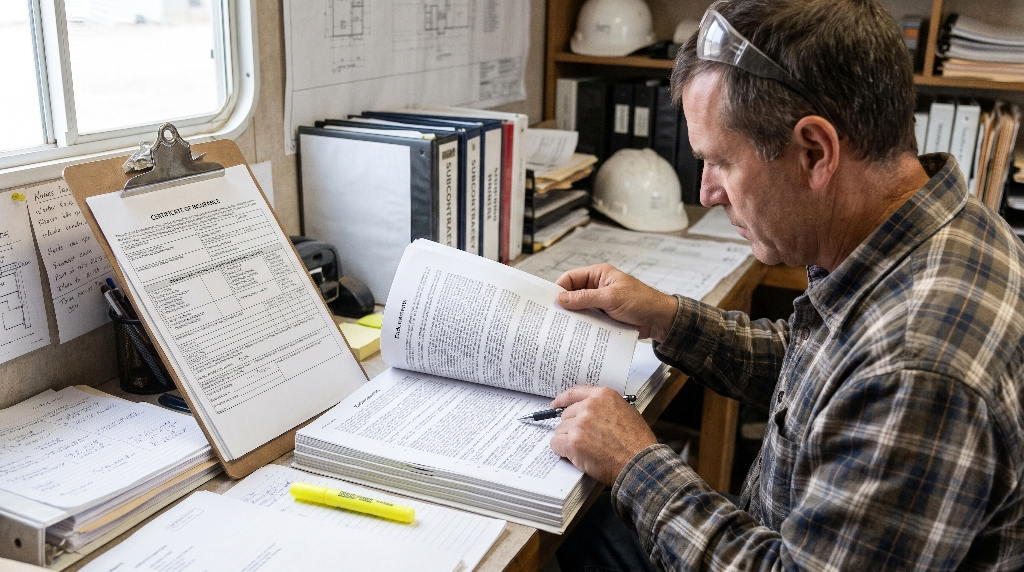
Here is the secret that separates experienced risk managers from rookie project coordinators: checking boxes on the ACORD 25 does not change the insurance policy.
Look at the two narrow columns next to the policy numbers labeled ADDL INSD (Additional Insured) and SUBR WVD (Subrogation Waived). Even if the agent types a bold “Y” in both boxes, and even if the agent types three paragraphs of reassuring promises in the Description of Operations box at the bottom, those notes are not legally binding. To gain real protection, you must require the subcontractor’s agent to attach the actual policy endorsement pages to the certificate of insurance. An endorsement is a formal legal amendment attached to the insurance policy that modifies who is covered and how the policy pays.
Additional Insured Status for Ongoing and Completed Work (CG 20 10 and CG 20 37)
Being named as an Additional Insured means the subcontractor’s insurance company must hire a lawyer to defend you and pay settlements if you get sued because of the subcontractor’s work. However, commercial general liability endorsements are split into two distinct time periods. You need both to be fully protected:
- Ongoing Operations (ISO CG 20 10): This endorsement protects you only while the subcontractor is actively working on your job site. Once they pack up their tools and finish their portion of the build, coverage under form CG 20 10 stops completely.
- Completed Operations (ISO CG 20 37): This endorsement protects you after the subcontractor finishes their work and leaves the site. Consider a real-world example: a plumbing subcontractor installs water lines inside a custom home, passes inspection, and moves on to another job. Eight months after the family moves in, a bad solder joint bursts inside a wall and floods two floors. The homeowner sues you, the general contractor, for $180,000 in water damage. Without form ISO CG 20 37 attached to that plumber’s policy, their insurance carrier will deny your claim because operations were already completed.
A quick tip from the field: do not put outdated endorsement numbers like “CG 20 10 11 85” in your contracts. The 1985 edition bundled ongoing and completed operations into one form, which is why old templates still mention it, but almost no insurance company issues the 1985 form anymore. Requesting an obsolete form stalls your paperwork for weeks. Instead, require modern editions such as ISO CG 20 10 and ISO CG 20 37 (such as the 04 13 or 12 19 editions), or an equivalent blanket additional insured endorsement that explicitly includes both ongoing and completed operations.
Primary and Non-Contributory (CG 20 01) and Waiver of Subrogation (CG 24 04 and WC 00 03 13)
Alongside Additional Insured status, verify two more endorsements before clearing a trade partner for work:
- Primary and Non-Contributory (ISO CG 20 01): Without this endorsement, the subcontractor’s insurance carrier might argue that your own general liability policy should share the cost of defending a lawsuit. Sharing a claim drives up your future insurance rates and burns through your deductibles. Form CG 20 01 forces the subcontractor’s policy to act as the primary payer without seeking any contribution from your insurer.
- Waiver of Subrogation (ISO CG 24 04 and WC 00 03 13): Subrogation is the legal right of an insurance company to pay a claim and then turn around and sue whoever caused the accident to get their money back. Suppose a subcontractor’s worker trips over a bundle of lumber on your site and breaks his leg. The subcontractor’s Workers’ Compensation insurer pays the worker’s hospital bills, and then that insurer sues you, claiming your site superintendent left the lumber in the walkway. A Waiver of Subrogation stops the subcontractor’s insurer from suing you. Require form ISO CG 24 04 for General Liability and form WC 00 03 13 for Workers’ Compensation.
Hunting Hidden Exclusions on the Schedule of Forms (IL 12 01)
Even when a subcontractor carries a $1,000,000 policy with all the right additional insured forms, a single exclusion buried in the back of the policy can wipe out your protection. To see what is hidden inside the policy, ask the agent for a copy of the Schedule of Forms and Endorsements (commonly listed as form IL 12 01 or the Policy Declarations form list). This page acts like a table of contents showing every endorsement attached to the policy.
Scan that list for four dangerous exclusions that regularly trap home builders and commercial contractors:
- Residential Construction Exclusion: Many low-cost commercial policies completely exclude work performed on single-family homes, townhomes, or condominiums. If you build custom homes or multi-family units and hire a sub with a residential exclusion, they effectively have zero insurance on your site.
- Height or Roofing Exclusion: Some policies exclude any work performed above a certain height, such as two stories or 25 feet off the ground, or exclude all roofing and exterior waterproofing work.
- Action-Over (Employee Injury) Exclusion: This tricky exclusion removes coverage when a subcontractor’s injured employee sues the general contractor. Since employee lawsuits are one of the highest-cost risks in construction, an action-over exclusion defeats the main reason you asked to be an Additional Insured in the first place.
- Damage to Work Performed by Subcontractors Exclusion (CG 22 94): Standard policies usually cover damage caused by a subcontractor’s lower-tier crew, but form CG 22 94 deletes that protection. If your framing sub hires an outside crew that ruins the roof trusses, CG 22 94 leaves you unpaid.
Direct Source Verification: Confirming Coverage with Agents and Carriers
Never rely solely on the PDF handed to you by a subcontractor. In the digital age, anyone with basic PDF editing software can alter dates, type in fake policy numbers, or change coverage limits in five minutes. Direct source verification means confirming the policy independently with the licensed insurance agent or the insurance carrier itself.
Looking Up Agent Licenses in State Insurance Databases
When you are ready to call and verify a certificate of insurance, follow one strict rule: do not automatically call the phone number printed in the Producer box at the top of the PDF. If a subcontractor forged the document, they likely typed their buddy’s cell phone number or a burner line into the Producer box so their friend can pretend to be an insurance agent when you call.
Instead, verify the producer independently using official public records:
- Visit the NAIC State Based Systems (SBS) website or your state Department of Insurance online portal (for example, the Tennessee Department of Commerce and Insurance license lookup).
- Search for the insurance agency name and the individual producer’s name shown on the certificate of insurance.
- Confirm that the producer holds an active Property and Casualty license in good standing.
- Copy the official business phone number and agency website listed in the state database or on the agency’s verified Google Business profile, and dial that number instead.
The 3-Minute Verification Phone Script and Audit Log
Once you reach the verified agency office or the insurance carrier’s certificate verification desk, the call takes less than three minutes. Have your office administrator or project coordinator use this direct script:
“Hello, my name is [Your Name] with [Your Construction Company]. We are hiring [Subcontractor Legal Name] for a construction project and received a certificate of insurance listing your agency as the producer under policy number [Policy Number]. Could you confirm three quick items for our compliance file? First, is that policy currently active and in force today? Second, is the account in good standing with no pending cancellation for non-payment? Third, can you email a copy of the certificate of insurance along with the additional insured and waiver of subrogation endorsements directly to me from your agency email address?”
Listen carefully to their answers. A policy can be “active” on paper while sitting in a 10-day grace period for unpaid bills, meaning it will cancel next week. Confirming paid status saves you from mid-job surprises.
After the call ends, record a quick verification note in your project management software or vendor folder. Write down the date, the time of the call, the verified phone number dialed, the name of the agency representative you spoke with, and save the email that came directly from the agency’s official domain. If an auditor or attorney ever questions your due diligence, that timestamped log proves you took every reasonable step to verify coverage.
How to Spot a Fake or Altered Certificate of Insurance
Certificate fraud happens more often than most builders realize. When building material prices climb or cash flow tightens, a struggling trade contractor may try to save $400 a month by canceling their policy and editing an old PDF so they can keep getting work. Training your team to spot forged documents takes very little effort once you know what to look for.
Visual and PDF Clues of a Forged Document
Before you even pick up the phone to call the agent, inspect the PDF file on your screen for these classic signs of tampering:
- Mismatched Fonts and Text Sizes: Look closely at the Policy Number, Effective Date, Expiration Date, and Dollar Limit fields. Real agency management systems generate the entire ACORD 25 in one uniform font family and size. If the expiration date looks slightly bolder, sharper, or uses Arial while the rest of the form uses Courier or Helvetica, someone typed over the original numbers.
- Misaligned Text Boxes or Blurry Patches: Zoom in to 200 percent on your computer screen. Look for white rectangles covering old text, slightly crooked lines, or sharp digital text pasted on top of a fuzzy, low-resolution scanned background.
- Identical Dates Across Unrelated Carriers: Look at the Insurers Affording Coverage box at the top right. Suppose Insurer A (Travelers) writes the General Liability, Insurer B (Progressive) writes the Commercial Auto, and Insurer C (Hartford) writes the Workers’ Compensation. It is rare for three completely separate insurance companies to share the exact same policy effective and expiration dates down to the day. While it happens occasionally, identical dates across multiple unrelated carriers should prompt an immediate verification call.
- Missing Authorized Representative Signature: Look at the very bottom right corner of the ACORD 25 in the box labeled “Authorized Representative.” A legitimate certificate of insurance always includes either a digital signature or a signed name from the licensed producer. A blank signature box means the form was never officially issued by an agency.
Email and Sender Red Flags
Pay just as much attention to how the file arrives as to what is printed inside it:
- Submitted by the Subcontractor Instead of the Broker: Make it your standard policy that every certificate of insurance must be emailed directly from the insurance agency to your compliance inbox. When a trade partner sends the PDF from their own personal Gmail, Yahoo, or company email address, the risk of tampering jumps sharply.
- Lookalike Email Domains: Fraudsters sometimes register fake web domains that look almost identical to a real insurance agency at a quick glance. Watch out for subtle misspellings or extra words like
claims-acord-verify.cominstead of the agency’s true corporate domain. - Metadata Clues in the PDF Properties: In Adobe Acrobat or most PDF viewers, click File and select Properties. Look at the “Application” and “PDF Producer” fields. Legitimate certificates usually show insurance software systems like Applied Epic, AMS360, Vertafore, or Certificial. If the properties say the file was created or modified in Photoshop, Canva, or a free online PDF editor five minutes before it landed in your inbox, stop work immediately.
Verifying Workers’ Compensation Coverage and State Exemptions
Of all the lines of coverage on a construction job, Workers’ Compensation carries the sharpest financial teeth for a general contractor. Under state “statutory employer” laws across the country, if a subcontractor does not have valid Workers’ Compensation coverage and one of their workers gets hurt on your site, you legally become that injured worker’s employer for injury benefits. Even worse, if nobody gets hurt, your annual insurance auditor will still charge you Workers’ Compensation premiums based on the total amount you paid that uninsured sub.
Reading the Workers’ Compensation Section Properly
When you inspect the Workers’ Compensation row near the bottom of the ACORD 25, look closely at three specific spots:
- The EXCL (Excluded) Column: Look at the narrow column labeled
Y / Nunder “Any Proprietor / Partner / Executive Officer / Member Excluded?” If the box says Y, the owner of that subcontracting company opted out of their own Workers’ Compensation policy to save money on premiums. While legal in many states, this means if that owner comes onto your job site personally, swings a hammer, and falls off a scaffold, their own Workers’ Compensation policy will pay zero dollars for their hospital stay. Know whether the owner works hands-on in the field, and check your state’s rules on excluded owners. - Statutory Limits Check: Under the Limits column, make sure the box next to PER STATUTE is checked, along with the Employers’ Liability dollar limits underneath ($500,000 or $1,000,000).
- Out-of-State Coverage (Section 3A): Workers’ Compensation policies are state-specific. If you hire a drywall crew based in Virginia or North Carolina to work on a project in Tennessee or Pennsylvania, a standard ACORD 25 does not prove their policy covers work in your state. Ask the agent to confirm in writing that your project’s state is listed under Item 3.A (not just Item 3.C “Other States Insurance”) of the Workers’ Compensation Information Page.
Checking State Workers’ Comp Portals and Exemption Registries
Small trade contractors frequently tell builders, “I am a sole proprietor with no employees, so the law says I do not need Workers’ Comp.” Never take a handshake or a verbal promise on this excuse.
First, verify whether the trade partner actually carries an active Workers’ Compensation policy by running a free search on the NCCI Coverage Verification portal or your state’s Workers’ Compensation board website. You can search by the business name or Federal Employer Identification Number (FEIN) to see the active carrier name and policy dates straight from state records.
Second, if the subcontractor claims a legal exemption, require official proof from your state’s exemption registry. For example, in states like Tennessee, contractors who qualify for an exemption must register with the state’s Construction Services Provider Workers’ Compensation Exemption Registry (maintained by the Secretary of State). Always look up the sub’s registration number on the official state website to confirm three facts:
- The exemption is currently active and has not expired.
- The exemption covers the exact type of construction work you are hiring them to do (some states limit exemptions to residential work and forbid them on commercial jobs).
- Only the registered owner works on your site. An owner’s exemption covers the owner alone. The moment that “sole proprietor” brings a helper, cousin, or day laborer onto your site to carry boards, that exemption no longer shields you from audit penalties or injury lawsuits.
Managing Sub-Tier Subcontractors and Flow-Down Compliance

Even the most careful builder can get blindsided when a trusted subcontractor hires a lower-tier crew without telling anyone. You might vet your HVAC contractor from top to bottom, verify their certificate of insurance, and clear them to start. Two weeks later, the HVAC owner gets behind schedule and sends an unvetted sheet-metal crew to finish the ductwork. If that sub-tier crew causes a fire or a worker gets injured, the liability flows straight uphill to your company and the property owner.
Avoiding the Blanket Additional Insured Contract Trap (CG 20 33 vs. CG 20 38)
When sub-tier crews enter the picture, a subtle difference between two standard ISO endorsement numbers can decide whether you are covered or left exposed:
- ISO CG 20 33 (Direct Contract Requirement): Many insurance agents use form CG 20 33 because it is a common blanket additional insured endorsement. However, CG 20 33 only grants Additional Insured status to people or companies who have a direct written contract with the named insured. Suppose your plumbing sub hires a sub-tier trenching crew. The trenching crew signs a contract with the plumber, not with you. Because you have no direct contract (“privity of contract”) with that trenching crew, form CG 20 33 gives you and the property owner zero coverage if that crew hits an underground gas main.
- ISO CG 20 38 and CG 20 40 (Upstream Protection): To solve this privity trap, your Master Subcontract Agreement must require that any subcontractor or sub-tier crew provide Additional Insured coverage using ISO CG 20 38 (for ongoing operations) and ISO CG 20 40 (for completed operations), or an equivalent endorsement that covers any party you are required by written contract to protect. These forms eliminate the direct-contract requirement and pass protection cleanly up the chain from the sub-tier crew, through your primary sub, to you and the building owner.
In the field, back up your contract language with strict site rules. Instruct your project managers and site superintendents to require every new crew arriving at the gate to check in at the job trailer. If a subcontractor brings an unapproved sub-tier crew onto the site, halt their work until that lower-tier company submits a signed flow-down agreement and passes the exact same verification process on their certificate of insurance.
Continuous Tracking: Stopping Mid-Project Lapses and Audit Surprises
Verifying a certificate of insurance once before a project starts is only half the battle. A custom home build or commercial renovation often spans six to eighteen months, while insurance policies renew every twelve months. Even more dangerous, some unscrupulous operators buy a commercial policy on Monday, have their agent send you a valid certificate of insurance on Tuesday, and cancel the policy on Friday to get their down payment refunded.
Setting Up Hard Gate and Payment Controls
In the past, standard ACORD 25 forms promised that the insurance carrier would mail you a 30-day advance notice if the policy canceled. Modern ACORD 25 forms removed that guarantee. Today, the form simply states that notice will be delivered “in accordance with the policy provisions,” which often means the carrier notifies only the first named insured and never sends a letter to you.
To protect your company against silent mid-project cancellations, build automated controls into your office workflow:
- Tie Compliance Directly to Accounts Payable: Use construction management software such as Procore, Buildertrend, CoConstruct, or dedicated compliance tools like myCOI or Certificial, or set hard blocks in your accounting system (like QuickBooks or Sage). Configure the software so that it is impossible to cut a check or release an ACH payment to any vendor whose certificate of insurance is expired or missing required endorsements.
- Automate 30-Day and 14-Day Renewal Alerts: Set automated email reminders to go out to both the subcontractor and their insurance broker 30 days, 14 days, and 3 days before any policy expiration date. Give them plenty of lead time so a slow renewal never delays your critical path schedule.
- Enforce a Strict “No Coverage, No Check, No Work” Rule: Tell every trade partner during pre-construction meetings that an expired policy automatically pauses their draw payments and suspends site access. Once a subcontractor realizes that missing paperwork holds up their Friday check, you will be amazed at how fast their broker sends over the renewal certificate of insurance.
- Mid-Project Spot Checks on High-Risk Trades: For major trades working on your job for several months, have your office coordinator make a quick two-minute follow-up call to the agent halfway through the build to confirm the policy is still active and paid up.
Keeping Records for Audits and Statutes of Repose
Do not throw away old insurance files once a project wraps up and the final inspection passes. Every state has a Statute of Repose that sets the outer time limit for homeowners or building owners to file lawsuits over hidden construction defects. Depending on your state, that window runs anywhere from 4 to 10 years or longer after substantial completion.
Keep a permanent digital archive for every completed project containing:
- The signed subcontract agreement and scope of work.
- Every original and renewed certificate of insurance covering the entire construction timeline.
- All attached policy endorsement pages (CG 20 10, CG 20 37, CG 20 01, CG 24 04, and WC 00 03 13).
- Your timestamped phone verification logs and emails from the insurance agencies.
When a latent defect lawsuit arrives seven years after closing, pulling that complete file out of your archive lets your legal team tender the claim directly to the subcontractor’s old insurance carrier. At the same time, keeping your vendor files organized year-round turns your annual Workers’ Compensation and General Liability audit from a stressful, expensive ordeal into a smooth, predictable review with zero surprise back-charges.
Frequently Asked Questions About Verifying Subcontractor Coverage
How do I verify if a certificate of insurance is legitimate?
To confirm that a certificate of insurance is genuine, start by checking the PDF for formatting flaws like mismatched fonts, crooked text boxes, or missing producer signatures. Next, look up the insurance agency and agent’s name in your state Department of Insurance license database or the NAIC State Based Systems portal to confirm they hold an active license. Finally, call the agency using the verified public phone number from the state database rather than the number printed on the form, ask the agent to confirm that the policy is active and paid up, and request that they email a fresh copy directly to your inbox.
Is a certificate of insurance enough proof of coverage on a construction site?
No. By itself, a standard ACORD 25 certificate of insurance is only an informational summary of a policy on the day it was printed and grants you zero legal rights. To have true protection on a construction site, you must also collect and review the actual backing policy endorsements attached to the policy, including Additional Insured forms for both ongoing operations (ISO CG 20 10) and completed operations (ISO CG 20 37), Primary and Non-Contributory wording (ISO CG 20 01), and Waivers of Subrogation (ISO CG 24 04 and WC 00 03 13).
What is the difference between a certificate holder and an additional insured?
A Certificate Holder is simply the person or company named in the bottom left box of the certificate of insurance to receive proof that a policy exists. Being a certificate holder gives you no coverage under the policy and no right to a legal defense. An Additional Insured, by contrast, is formally added to the subcontractor’s insurance policy by endorsement. Being named as an Additional Insured means the subcontractor’s insurance company must defend you in court and pay covered claims arising from the subcontractor’s work.
What happens if a subcontractor’s insurance expires or cancels mid-project?
If a subcontractor’s coverage expires or cancels while your project is underway, you immediately lose third-party protection for any accidents, injuries, or property damage caused by that crew. You should issue an immediate stop-work notice to that trade partner, remove them from the job site, and place an automatic hold on all pending progress payments until their agent sends a verified renewal certificate of insurance and updated endorsements. Letting an uninsured sub continue working exposes your company to direct injury lawsuits and heavy back-charges during your annual insurance audit.
How do you check if a subcontractor has valid workers’ compensation insurance?
You can verify a subcontractor’s Workers’ Compensation coverage in three steps. First, check the Workers’ Compensation line on their certificate of insurance to confirm an active policy number, statutory limits, coverage in your project’s state, and whether business owners are excluded. Second, run a free lookup by company name or tax ID number on the National Council on Compensation Insurance (NCCI) coverage verification portal or your state Workers’ Compensation board website. Third, if the sub claims a sole-proprietor exemption, verify their active registration number directly on your state’s official construction exemption registry and ensure no uninsured helpers work on your site.